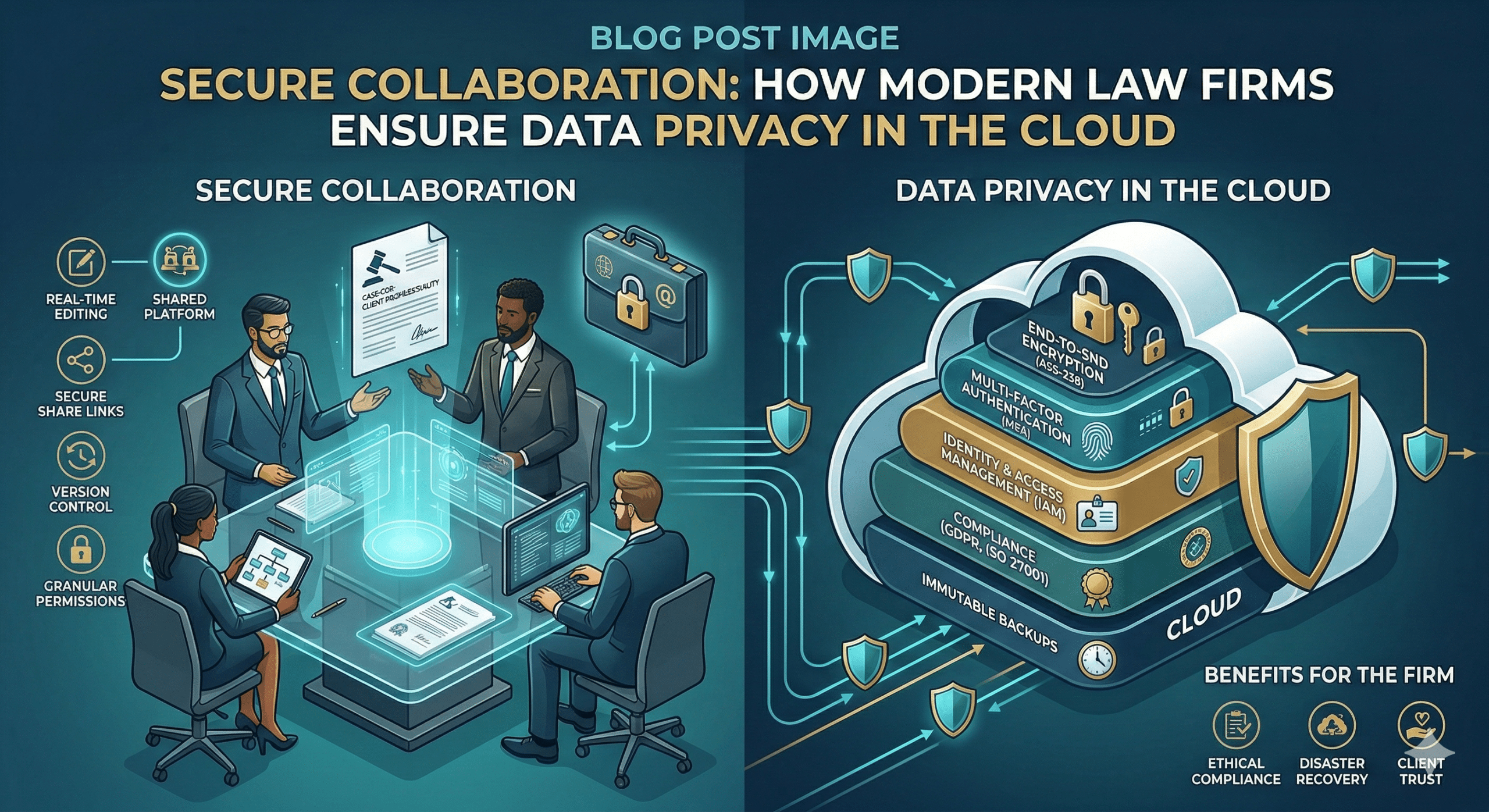
In the past decade, the legal industry has undergone a digital transformation that once seemed decades away. The “paperless office” is no longer a goal; it is a reality. Central to this shift is the adoption of cloud-based collaboration tools like Microsoft Teams, Slack, Clio, and Zoom.
However, for lawyers, moving to the cloud isn’t just a matter of convenience—it is a matter of professional ethics. With the American Bar Association (ABA) and state bars emphasizing the “Duty of Tech Competence,” law firms are under immense pressure to ensure that client data remains confidential, even when it lives on a third-party server.
How do top-tier law firms ensure data privacy while reaping the benefits of cloud collaboration? It requires a multi-layered strategy combining rigorous due diligence, technical safeguards, and internal culture.
1. The Ethics of the Cloud: Understanding the Stakes
Before looking at the “how,” we must understand the “why.” Under ABA Model Rule 1.6 (Confidentiality of Information), a lawyer must make “reasonable efforts” to prevent the inadvertent or unauthorized disclosure of client information.
Furthermore, Comment 8 to Rule 1.1 requires lawyers to keep abreast of the “benefits and risks associated with relevant technology.” In the eyes of the Bar, “I didn’t know how the software worked” is no longer a valid defense for a data breach.
2. Rigorous Vendor Due Diligence
Law firms do not just “sign up” for software; they vet it. A firm ensures privacy by treating software providers as “non-lawyer assistants” under Rule 5.3.
Key questions firms ask during the vetting process:
-
Where is the data stored? Firms often require data to be stored in specific jurisdictions to comply with local privacy laws (like GDPR in Europe or CCPA in California).
-
Who owns the data? The Terms of Service must explicitly state that the law firm retains 100% ownership of the data and that the vendor cannot mine it for advertising.
-
What are their certifications? Firms look for SOC 2 Type II or ISO 27001 certifications, which indicate that the vendor undergoes regular, independent security audits.
3. Implementation of Technical Safeguards
Once a tool is selected, firms do not use “out-of-the-box” settings. They harden the environment through several technical layers:
A. End-to-End Encryption (E2EE)
Firms prioritize tools that offer encryption both “at rest” (while stored on the server) and “in transit” (while being sent). For highly sensitive litigation or M&A data, firms look for “Zero-Knowledge” providers, where the vendor does not hold the decryption keys—meaning even if the vendor is subpoenaed, they cannot access the firm’s files.
B. Multi-Factor Authentication (MFA)
MFA is the single most effective way to prevent unauthorized access. Most law firms now mandate a “Push” notification or a hardware token (like a YubiKey) for every login to a collaboration platform.
C. Granular Access Controls
Collaboration tools allow for “Least Privilege” access. A junior associate in the family law department should not have access to the folders for the corporate tax department. Firms use Role-Based Access Control (RBAC) to ensure employees see only what they need to see.
4. Solving the “Shadow IT” Problem
One of the biggest risks to law firm privacy isn’t the approved tools—it’s the unapproved ones. When a partner finds a firm-approved tool “too slow” and sends a confidential document via a personal Dropbox or WhatsApp, they create a massive security blind spot.
How firms manage this:
-
Whitelisting: Restricting firm devices so they can only install approved, secured software.
-
Mobile Device Management (MDM): Using software that allows the firm to remotely wipe professional data from an attorney’s personal phone if it is lost or stolen.
5. Data Residency and Sovereignty
For international law firms, data privacy is complicated by varying national laws. The “Cloud Act” in the US and the “GDPR” in the EU often create conflicting requirements.
To manage this, firms use “geofencing” within their collaboration tools. For example, data related to a French client might be restricted to servers located in Frankfurt or Paris, ensuring compliance with EU privacy mandates while still allowing global collaboration.
6. The Human Element: Policies and Training
Technology is only as secure as the person using it. Data breaches in law firms are rarely the result of a “Brute Force” hack; they are usually the result of a successful phishing email or a misplaced laptop.
Modern firms implement:
-
Data Retention Policies: Not all data should live forever. Firms use automated tools to delete chat logs or temporary files after a set period (e.g., 7 years post-matter) to reduce the “attack surface.”
-
Phishing Simulations: Regularly testing staff with “fake” malicious emails to build a culture of skepticism.
-
Incident Response Plans: Ensuring that if a breach does occur, the firm knows exactly how to notify clients and regulators to mitigate legal and reputational damage.
7. The Rise of Legal-Specific Collaboration Platforms
While generic tools like Slack and Microsoft 365 are popular, many firms are moving toward platforms built specifically for the legal industry (e.g., HighQ, Clio, or NetDocuments).
These tools are designed with legal ethical requirements in mind, featuring built-in “ethical walls” (preventing conflicts of interest by blocking certain users from specific files) and audit logs that track every single time a document is viewed, edited, or downloaded.
Conclusion: Privacy as a Competitive Advantage
In the modern legal landscape, data privacy is more than a compliance checkbox—it is a competitive advantage. Clients, particularly those in the financial and healthcare sectors, are increasingly auditing their outside counsel’s IT security.
By choosing the right cloud-based collaboration tools and wrapping them in rigorous security protocols, law firms do more than just protect themselves from malpractice suits; they build the deep trust that is the foundation of the attorney-client relationship.
Is your firm’s cloud strategy up to date? The cost of an upgrade is high, but the cost of a breach is immeasurable.
Summary Checklist for Law Firms:
-
Audit current tools: Are you using “Consumer” versions or “Enterprise” versions?
-
Enable MFA: This should be mandatory for all staff.
-
Review Permissions: Conduct a quarterly “access audit.”
-
Update Engagement Letters: Ensure clients are informed about how their data will be stored in the cloud.
-
Train your team: Technology is only the first line of defense; your people are the last.