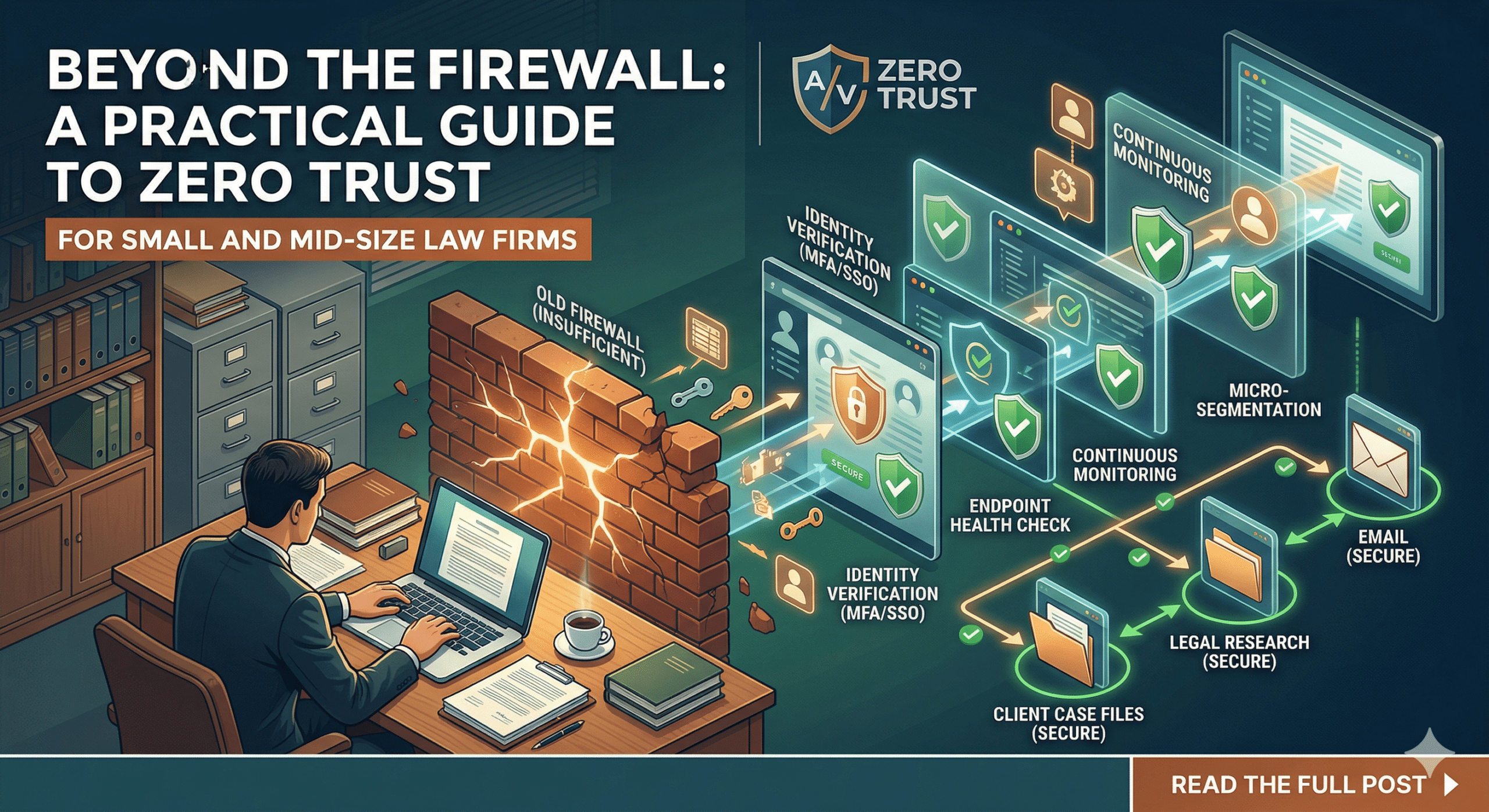
For decades, law firm cybersecurity followed the “Castle and Moat” strategy. You built a strong perimeter (the moat)—usually a firewall and a password—and assumed that anyone inside the walls was trustworthy.
But in an era of remote depositions, cloud-based practice management, and sophisticated phishing attacks, the moat has dried up. Hackers don’t “break in” anymore; they log in using compromised credentials.
Enter Zero Trust.
For small and mid-size law firms, Zero Trust isn’t just a buzzword; it is the new gold standard for protecting client confidentiality and meeting ethical obligations. Here is how your firm can build a Zero Trust environment without an enterprise-sized IT budget.
What Exactly is “Zero Trust”?
The philosophy of Zero Trust is simple: Never trust, always verify.
In a Zero Trust environment, it doesn’t matter if you are sitting in the corner office or at a coffee shop—the network assumes everyone is a potential threat. Every time a user tries to access a file or an application, the system must verify who they are, what device they are using, and whether they actually need that specific information to do their job.
Why SMB Law Firms Are the New Targets
You might think your firm is too small to be a target. In reality, SMB firms are often “Goldilocks” targets for cybercriminals: they handle high-value data (M&A details, PII, litigation strategy) but often have weaker security than “Big Law” firms.
Furthermore, professional liability insurers are increasingly making Zero Trust components—like Multi-Factor Authentication (MFA)—a mandatory requirement for coverage.
5 Steps to Building a Zero Trust Environment
You don’t need a million-dollar IT department to implement Zero Trust. Here is a roadmap for small and mid-size firms.
1. Identity is the New Perimeter (MFA)
In Zero Trust, the “identity” of your staff is your most important defense.
-
The Action: Implement Multi-Factor Authentication (MFA) across every single platform—email, practice management software (like Clio or MyCase), and VPNs.
-
The Goal: Even if a hacker steals a partner’s password, they cannot access the data without the second physical verification (like an app notification or a hardware key).
2. Implement “Least Privilege” Access
In many small firms, every employee has access to every folder on the server. This is a massive security risk. If a receptionist’s account is compromised, the hacker has access to the firm’s entire financial history.
-
The Action: Audit your permissions. Ensure that associates, paralegals, and administrative staff can only access the specific matters and files necessary for their roles.
-
The Goal: Containment. If one account is breached, the damage is limited to a small “silo” rather than the whole firm.
3. Secure the Devices (Endpoint Management)
When your team works from home, they might be using a home PC shared with their kids or an outdated laptop.
-
The Action: Use Mobile Device Management (MDM) tools (like Microsoft Intune or Jamf). These allow your IT lead to ensure that any device accessing firm data is encrypted, password-protected, and running the latest security updates.
-
The Goal: If a device doesn’t meet your security standards, it is blocked from the network automatically.
4. Move to Secure Cloud Environments
Legacy on-premise servers are difficult to secure in a Zero Trust framework. Transitioning to reputable, “legal-grade” cloud providers simplifies security.
-
The Action: Migrate to platforms like Microsoft 365 or Google Workspace Enterprise, which have Zero Trust protocols built into their architecture.
-
The Goal: Shifting the “security burden” to providers who spend billions annually on threat detection.
5. Culture Over Code: Employee Training
The most sophisticated Zero Trust architecture can be undone by a human error.
-
The Action: Conduct regular “Security Awareness Training.” Teach your staff how to spot “spear-phishing” attempts that specifically target law firms (such as fake “Change of Wire Instructions” emails).
-
The Goal: Turning your employees from your greatest vulnerability into your first line of defense.
The Ethical Bottom Line
The ABA Model Rules (specifically Rule 1.1 on Competence and Rule 1.6 on Confidentiality) make it clear: lawyers have an ethical duty to take reasonable measures to prevent the unauthorized disclosure of client information.
Building a Zero Trust environment isn’t just about avoiding a data breach—it’s about fulfilling your promise to your clients that their most sensitive secrets are safe in your hands.
Ready to secure your firm? Start by auditing your current access levels. You might be surprised at who has the “keys to the kingdom.”