
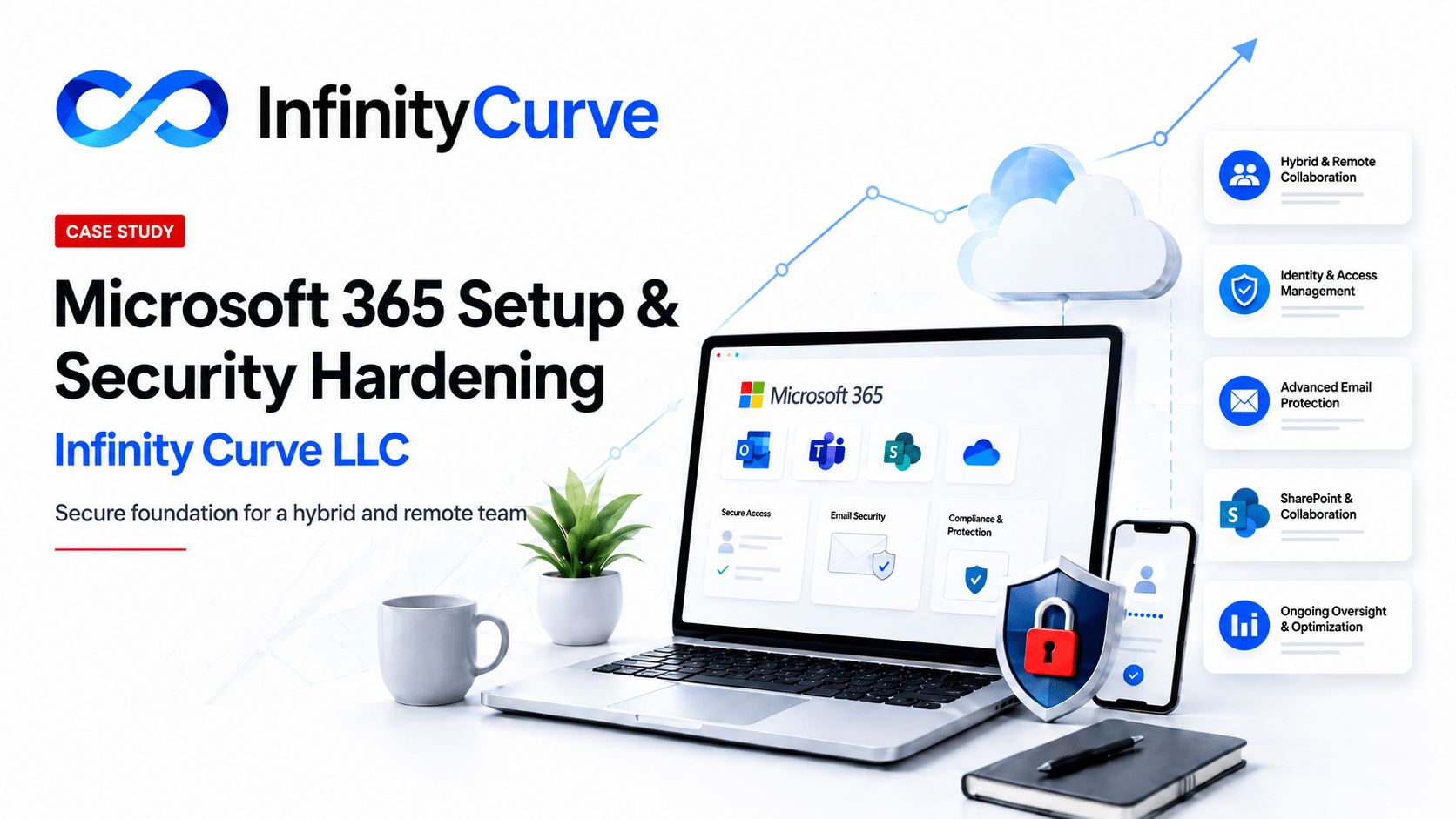
Executive Summary
When Infinity Curve LLC engaged MoreMax, the need was not simply to buy Microsoft 365 licenses or create a few mailboxes.
Infinity Curve is a founder-led digital growth and technology agency. Its work depends on communication, collaboration, client delivery, remote access, and reliable systems. Microsoft 365 was going to become part of the operating foundation of the business, not just another software subscription.
The company’s CEO is highly technical, and the Infinity Curve team is deeply comfortable with technology. They could handle the basics. They understood enough about Microsoft 365 to know that buying licenses, setting up email, enabling Teams, and turning on MFA are important steps — but they are only the beginning.
Buying Microsoft 365 licenses is easy. Owning it securely over time is the real work.
The real challenge was not whether Infinity Curve could set up Microsoft 365. The real question was whether the leadership team should spend its time monitoring controls, managing access, reviewing admin roles, improving security settings, staying ahead of configuration drift, and keeping the environment aligned as the agency grew.
Infinity Curve chose MoreMax so its team could stay focused on what it does best: helping clients grow through digital strategy, technology, and execution — while MoreMax built and managed the secure Microsoft 365 foundation behind the scenes.
The Challenge
Microsoft 365 can be deceptively simple at the beginning.
A business can buy licenses, create users, set up email, turn on Teams, and enable MFA fairly quickly. But once the environment becomes part of daily operations, the work changes.
Users come and go. Devices change. Access needs evolve. Files are shared internally and externally. Admin roles need review. Email threats shift. Security recommendations change. Settings that looked fine on day one can drift as the business grows.
The risk was not that Infinity Curve lacked technical ability. The risk was that Microsoft 365 ownership could quietly become a recurring operational distraction.
Identity and Access
User accounts, MFA, sign-in controls, and access permissions needed to be set up with security and growth in mind.
Email Security
Email had to be protected against phishing, impersonation, and common threats that target growing businesses.
Remote Work
The environment needed to support hybrid and remote users without leaving access decisions loose or unmanaged.
Admin Control
Administrative roles and permissions needed to be reviewed so elevated access did not become broader than necessary.
Secure Collaboration
Microsoft 365 needed to support file sharing, Teams collaboration, and client work without creating avoidable exposure.
Security Drift
As the agency grew, settings, users, alerts, and security recommendations needed ongoing oversight instead of one-time attention.
That is where many growing businesses get caught. The setup feels done, but the responsibility remains.
The challenge was to make Microsoft 365 secure, manageable, and growth-ready without letting routine IT oversight pull leadership away from the work that drives the agency.
Buying Microsoft 365 Is Easy. Owning It Securely Over Time Is the Real Work.
For many growing businesses, Microsoft 365 starts as a practical purchase: email, file storage, Teams, calendars, and collaboration tools in one place.
That part is straightforward. The harder part begins after the tenant is live.
The Easy Part
Buying licenses, creating users, setting up email, enabling Teams, and turning on MFA can often be done quickly by a technically capable business owner or internal team.
The Real Work
Keeping the tenant secure over time requires ongoing attention to identity, access, email security, admin roles, alerts, settings, user changes, and configuration drift.
That distinction mattered for Infinity Curve. The team understood the technology well enough to know that basic setup was not the same as long-term security ownership.
Microsoft 365 would become part of how the agency communicated, collaborated, served clients, and supported a hybrid and remote workforce. That meant the environment needed more than a default setup. It needed a secure foundation that could be managed, monitored, and kept aligned as the business grew.
The question was not, “Can we set this up?” The better question was, “Who is going to keep this secure, aligned, and under control over time?”
Infinity Curve chose MoreMax because it wanted Microsoft 365 handled properly from the beginning — without pulling its leadership team into the ongoing work of tenant oversight, security review, and routine IT administration.
The real value was not just setup. It was giving Infinity Curve a Microsoft 365 foundation that could support the business without becoming a distraction from the business.
How MoreMax Approaches Microsoft 365 Security Hardening
MoreMax does not treat Microsoft 365 as a default installation that should be left alone after the first setup.
A default Microsoft 365 tenant is a starting point. It gives the business the platform, but it still needs to be fitted to the way the organization actually works: who signs in, what they can access, how files are shared, how administrators are controlled, how email is protected, and how security settings are reviewed over time.
Microsoft 365 out of the box is like a new office with doors, lights, and keys. It may be usable on day one, but someone still has to decide who gets access, which rooms should be locked, where sensitive files belong, and how the place will be monitored.
For Infinity Curve, the value was not just that MoreMax could configure Microsoft 365. The value was that MoreMax brought a repeatable security-hardening approach designed to establish a practical baseline and then keep that baseline from drifting as the business grew.
Start with a Security Baseline
MoreMax applies a practical Microsoft 365 security baseline that covers the areas most businesses eventually get asked about: identity, access, MFA, admin roles, email security, file sharing, monitoring, and backup readiness.
Secure Identity and Sign-In
User identity is the front door to Microsoft 365. MoreMax reviews account structure, MFA, sign-in expectations, administrative access, and Conditional Access where appropriate so access is not left to default assumptions.
Control Admin Roles and Privileged Access
Administrative permissions are reviewed with least-privilege thinking in mind. The goal is to avoid giving broad access where limited access would be enough.
Harden Email Security
Email remains one of the most common ways attackers reach a business. MoreMax reviews Microsoft 365 email security settings, anti-phishing controls, impersonation risks, and practical protections for day-to-day communication.
Structure SharePoint and OneDrive with Purpose
SharePoint and OneDrive should not become a messy file dump. MoreMax helps clients think through sites, permissions, sharing limits, external access, and how business information should be organized as the company grows.
Support Hybrid and Remote Work Securely
For hybrid and remote teams, Microsoft 365 access needs to work from different locations without leaving the environment loose. MoreMax considers identity, device access, collaboration settings, and secure ways for users to work outside a traditional office.
Review Security Posture and Configuration Drift
Microsoft 365 security is not a one-time event. MoreMax reviews security recommendations, tenant settings, alerts, user changes, and configuration drift so the environment does not slowly move away from the intended baseline.
Align with Real-World Security Expectations
MoreMax’s baseline is designed with real business pressure in mind: cyber insurance questions, client security reviews, compliance-readiness expectations, and professional obligations that increasingly ask whether Microsoft 365 is being managed with care.
This is especially important for founder-led companies. The CEO or leadership team may understand the technology well enough to make good decisions, but that does not mean they should personally own every alert, setting, permission change, and security review.
MoreMax helps turn Microsoft 365 from a default setup into a managed business foundation: secured, monitored, and aligned with the way the organization actually works.
What Made This Project Different
This was not a rescue project.
Infinity Curve did not come to MoreMax because Microsoft 365 was broken, chaotic, or out of control. The company came to MoreMax early because its leadership understood the importance of getting the foundation right before bad habits, loose permissions, or unmanaged settings had time to settle in.
Proactive, Not Reactive
The goal was to avoid the common cleanup project that happens later when a tenant grows without enough structure, oversight, or security discipline.
Technical, But Focused
Infinity Curve’s leadership understood the technology, but chose not to let Microsoft 365 administration compete with client delivery and agency growth.
Built for the Business
The Microsoft 365 environment needed to support how the agency actually worked: remote access, collaboration, client communication, and secure day-to-day operations.
That distinction matters. Many businesses wait until Microsoft 365 has already become messy before they take security seriously. Infinity Curve took the better path: establish the baseline early, put oversight in place, and keep leadership focused on the business.
The project was not about replacing technical judgment inside Infinity Curve. It was about giving a capable leadership team the right Microsoft 365 foundation and ongoing support so they did not have to own the burden alone.
The Result
Infinity Curve ended up with more than a working Microsoft 365 tenant.
The agency had a Microsoft 365 environment configured around the realities of the business: secure access, hybrid and remote work, email protection, collaboration, file sharing, administrative control, and ongoing oversight.
A Stronger Microsoft 365 Foundation
The tenant was set up with security and manageability in mind instead of relying on a basic default configuration.
Better Control Over Access
User identity, MFA, administrative permissions, and access expectations were treated as part of the security foundation.
Safer Collaboration
Email, file sharing, SharePoint, OneDrive, and collaboration settings could be approached with more structure and less guesswork.
Less Operational Distraction
The founder and leadership team did not have to turn Microsoft 365 oversight into another recurring responsibility competing with client work.
For a technical founder, that mattered. The decision was not about outsourcing something the company could never understand. It was about putting the right operating support around a system that would become central to the agency’s daily work.
Infinity Curve could focus on growth, clients, and delivery, while MoreMax helped keep the Microsoft 365 foundation secure, monitored, and aligned.
The result was a cleaner, more intentional Microsoft 365 environment — and a better long-term ownership model for a growing digital agency.


“I’ve known Francois for nearly 20 years, and when it came time to build a secure Microsoft 365 foundation for Infinity Curve, MoreMax was the natural choice. I had the technical ability to do much of it myself, but I did not want IT administration to become a distraction from growing the business. MoreMax gave us the security, structure, and oversight we needed so I could stay focused on clients and growth.”
Founder and CEO
Infinity Curve LLC
What Founder-Led Businesses Can Learn
Infinity Curve’s decision is a useful lesson for other founder-led companies, agencies, law firms, and professional services businesses using Microsoft 365.
The issue is rarely whether the business can get Microsoft 365 working. Most companies can get email, Teams, calendars, and file storage running. The bigger question is whether the environment is being set up and managed in a way that supports security, oversight, and growth.
Default Is Not the Same as Secure
A default Microsoft 365 setup may be functional, but that does not mean it is hardened for the way the business operates, shares files, manages users, or supports remote work.
MFA Is Only the Starting Point
Multi-factor authentication matters, but it is not the entire security strategy. Identity, Conditional Access, admin roles, email protection, sharing controls, and monitoring all need attention.
Security Needs an Owner
Microsoft 365 settings change, users change, risks change, and business requirements change. Someone needs to keep the environment aligned instead of assuming the original setup will stay right forever.
For businesses that handle client information, work remotely, rely on email, or need to answer cyber insurance and security questionnaires, Microsoft 365 cannot be treated like a set-it-and-forget-it subscription.
The smarter move is to establish the Microsoft 365 security baseline early, before the tenant becomes messy, permissions become unclear, and routine oversight becomes another job for the founder.
That is the real takeaway from this project. Infinity Curve did not wait for a problem. It treated Microsoft 365 as part of the business foundation and brought in MoreMax to help secure, manage, and monitor that foundation properly.
Is Your Microsoft 365 Environment Actually Set Up Securely?
Microsoft 365 may be running, but that does not always mean it is configured, hardened, monitored, or aligned with the way your business actually works.
MoreMax helps founder-led businesses, law firms, and compliance-minded organizations review Microsoft 365, strengthen security settings, improve access controls, and put practical oversight in place.
Review Your Microsoft 365 SecurityFrequently Asked Questions
Why does Microsoft 365 need security hardening?
Microsoft 365 is powerful, but a default setup is not the same as a properly secured business environment. Security hardening helps review identity, access, administrator roles, email protection, file sharing, collaboration settings, and monitoring so the tenant better matches how the organization actually works.
Is multi-factor authentication enough?
No. MFA is an important baseline control, but it is not the full security strategy. Microsoft 365 also needs attention around Conditional Access, privileged access, email security, sharing permissions, admin roles, device access, alerts, and configuration drift over time.
What is Conditional Access in Microsoft 365?
Conditional Access helps control how users sign in based on factors such as user identity, location, device, risk, and application access. For growing businesses, it can help move Microsoft 365 beyond simple password-and-MFA protection toward more practical access control.
Why do SharePoint and OneDrive settings matter?
SharePoint and OneDrive often become the main places where business files live. If sites, folders, sharing links, external access, and permissions are not planned carefully, sensitive information can become harder to manage as the business grows.
Can MoreMax help if Microsoft 365 is already set up?
Yes. MoreMax can review an existing Microsoft 365 tenant, identify common configuration issues, strengthen security settings, improve access controls, and help bring the environment closer to a practical security baseline.
Does Microsoft 365 security hardening make a business compliant?
Security hardening by itself does not guarantee compliance. It does, however, help create a stronger technical foundation for cyber insurance questionnaires, client security reviews, professional obligations, and compliance-readiness discussions.
Who benefits from this kind of Microsoft 365 review?
Founder-led businesses, law firms, agencies, healthcare organizations, and other compliance-minded companies can benefit from a Microsoft 365 review, especially when they rely on email, remote access, file sharing, and client information every day.
What made the Infinity Curve project different?
Infinity Curve did not wait until Microsoft 365 became messy or difficult to manage. Its leadership chose to establish a secure foundation early, with MoreMax providing setup, hardening, and ongoing oversight so the agency could stay focused on growth and client delivery.
